Talk About This: Live Voice Conversations for Learning Topics in Learning Clarity
Updated
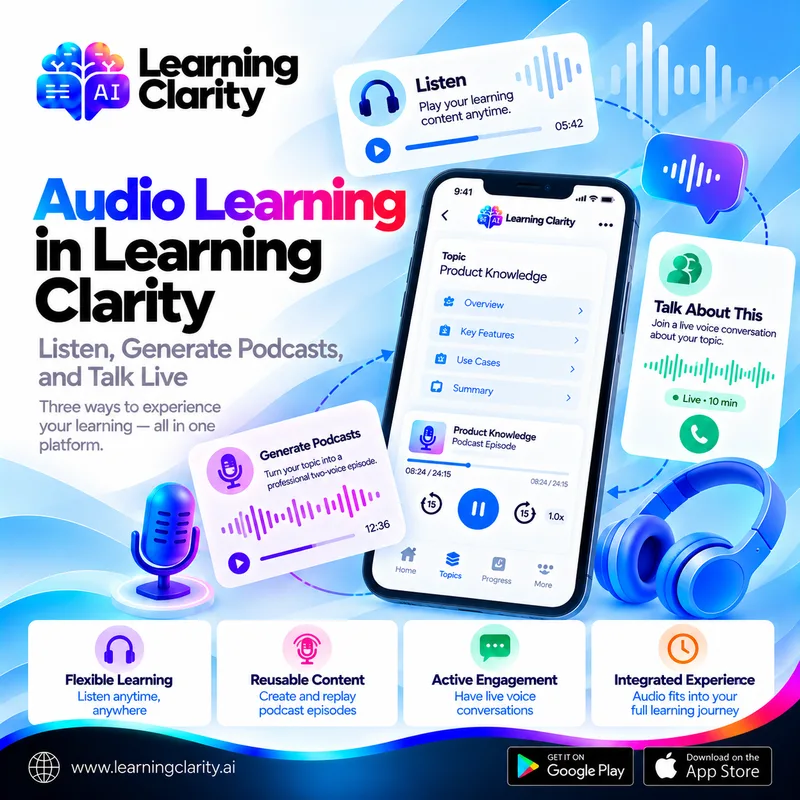
Listening and talking are different forms of engagement. A podcast gives the learner a prepared audio experience. A live conversation gives the learner an opportunity to participate in the moment.
Learning Clarity now supports both. The “Talk about this” action opens a dedicated voice-only conversation connected to a Topic or individual Subtopic. It is a fresh call each time rather than a generated episode that is saved for replay.
The feature sits alongside the broader Learning Clarity learning environment, giving learners another way to interact with material beyond reading, quizzes, exams, and podcast listening.
What Is “Talk About This” in Learning Clarity?
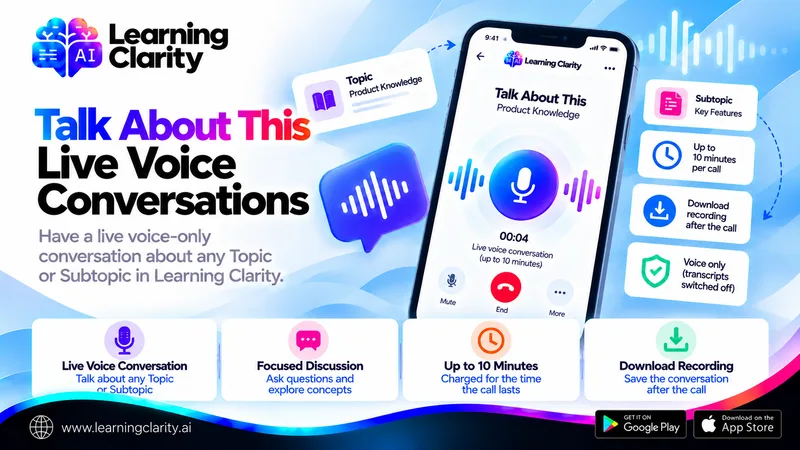
“Talk about this” is a live voice conversation tied to learning content. It can appear at Topic level and on individual Subtopics. Selecting it opens a dedicated conversation screen with the relevant Topic title and a “Start talking” action.
The conversation screen describes the experience as “Voice only.” It also states that the conversation is not being written down and that transcripts are switched off for that content.
How It Differs From a Generated Podcast
The distinction is important. A podcast is generated once from the Topic material and can be replayed later. “Talk about this” starts a fresh live call each time. One is reusable content; the other is an active conversation session.
The two features also differ in duration and billing. Podcast generation can support different episode lengths and shows an estimated credit cost before generation. “Talk about this” is capped at 10 minutes per call and is charged for the time the call lasts.
Privacy and Recording
The conversation screen explicitly states that the conversation is not being written down and that transcripts are switched off for the content. After the call finishes, the learner can download the recording if they choose to keep it.
Because this is a product-data question, organizations should also review the current Learning Clarity Privacy Policy and their own internal requirements before deploying voice features in regulated or sensitive training contexts.
Where Live Voice Can Fit in a Learning Journey
Live voice can be positioned as another interaction option rather than a replacement for structured content. A learner may first work through Explain Mode, use Quiz Mode for practice, and then choose to talk about a difficult Topic. Alternatively, they may use voice after listening to a generated podcast to engage with the subject in a different way.
No claim is needed that one format is universally better. Different learners and learning moments can call for different forms of engagement.
Practical Scenario: Discussing a Difficult Subtopic
An employee is completing a technical training Topic and understands most of the material but wants to talk through one subtopic. Instead of opening a full-topic conversation, they use the “Talk about this” action on that individual Subtopic and start a focused call.
After the session, they can download the recording if they want to keep it. They can then return to Quiz or Exam Mode for a separate knowledge check. The conversation and the assessment serve different purposes.
Best Practices for Organizations
Define where live voice fits in the learning design and communicate how credits are used. Since calls are charged for their duration, L&D teams should include that in usage guidance. For sensitive content, confirm organizational policies around voice interactions and downloaded recordings.
Do not treat a voice conversation as assessment evidence. Use Exam or Quiz modes when a structured knowledge check is required.
Preparing for a Useful Conversation
A short call is most useful when the learner arrives with a purpose. Before starting, note one or two things to talk through: a concept that still feels unclear after Explain Mode, a question answered wrongly in a quiz, or an example the learner wants to test their understanding against.
Choosing the right level matters too. Starting the conversation from an individual Subtopic keeps it focused on that part of the material, while starting from the Topic suits a broader review. Because each call has a time limit and is charged for the time it lasts, a focused scope helps the learner make the most of the session.
If the learner wants to keep the conversation, they can download the recording when the call finishes. Afterwards, a short quiz on the same Subtopic is a good way to check whether the discussion resolved the difficulty.
Frequently Asked Questions
What is Talk About This in Learning Clarity?
It is a live voice-only conversation linked to a Topic or Subtopic. The learner starts a fresh call rather than generating a reusable podcast episode.
How long can a Talk About This call last?
A call runs for up to 10 minutes and is charged for the time it lasts.
Is the conversation transcribed?
No. Transcripts are switched off for this content, and the learner is told that the conversation is not being written down.
Can the learner keep the conversation?
Yes. The learner can download the recording after the call finishes.
Conclusion
“Talk about this” expands Learning Clarity from listening into live spoken interaction while keeping the experience tied to the same Topic structure. It gives learners a focused way to talk through a difficult Topic or Subtopic, alongside podcasts, quizzes and exams.
Explore Learning Clarity and, when appropriate for your use case, create an account to see how voice, podcasts, quizzes, exams, and structured learning can sit inside one platform.
Try it with your own material
Create a free account and turn a document you already have into a structured Topic with explanations, quizzes and exams.
Create a free account